Enhanced Domain Search Filter
The "Find within list" box in the toolbar can be used to search within specific columns.
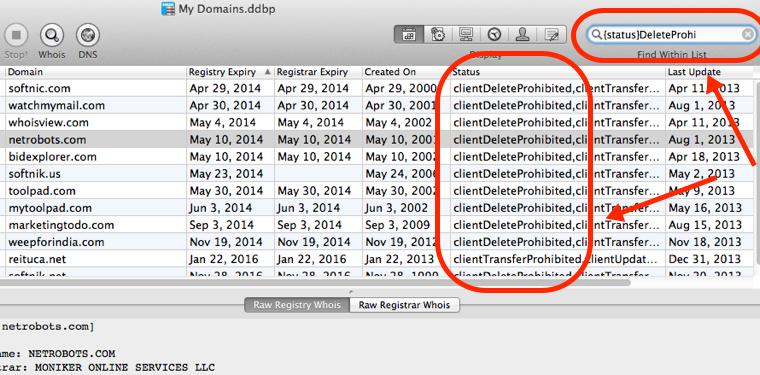
To search within the "Status" column type in
{status}deleteprohibitedthis will display all domains that have "clientDeleteprohibited" in status column.
You can search within the collowing columns...
status, tld, registrar, ns1, ns2, ns3,
ns4, domain, ip, admin contact, tech contact,
billing contact, notes
Special Cases
Use {admin}, {tech} and {billing} for searching within the domain contacts. Use {notes} to search within any of the attached notes.
{notes}macwill display all domains that have the word "mac" in any of the 4 domain note columns.
simply typing in a text will search within domain names (as before)