Adding support for IL domains to Watch My Domains for Mac OS X
Watch My Domains for Mac may not support IL domains by default. However, you can easily configure it for IL domains.
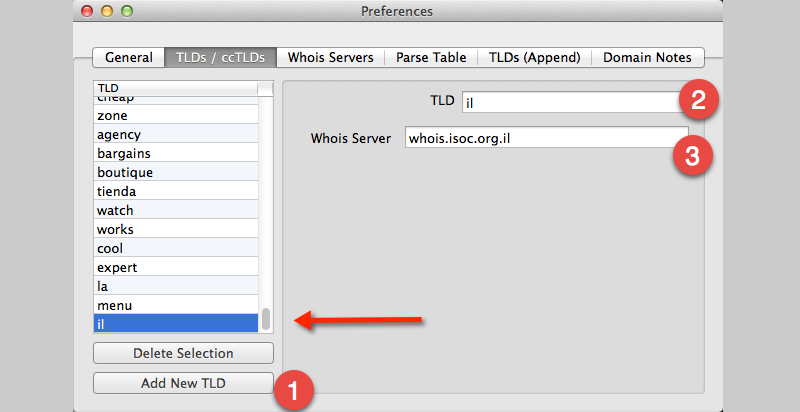
Go to "Menu > Watch My Domains > Preferences > TLDs/ccTLDs" tab
Click Add New TLD and add il and set the whois server to
whois.isoc.org.il
Please see the screen-shot below.
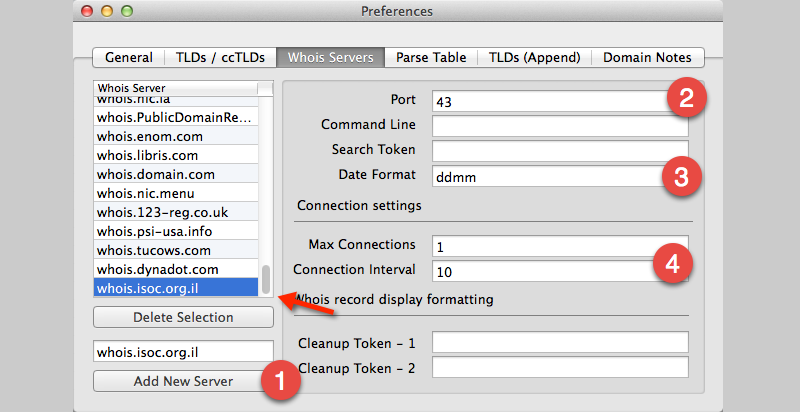
Go to Whois Servers tab and click Add New Server after entering whois.isoc.org.il
Set it's date format to ddmm and port to 43. Also, set the connection settings as in the screen-shot below.
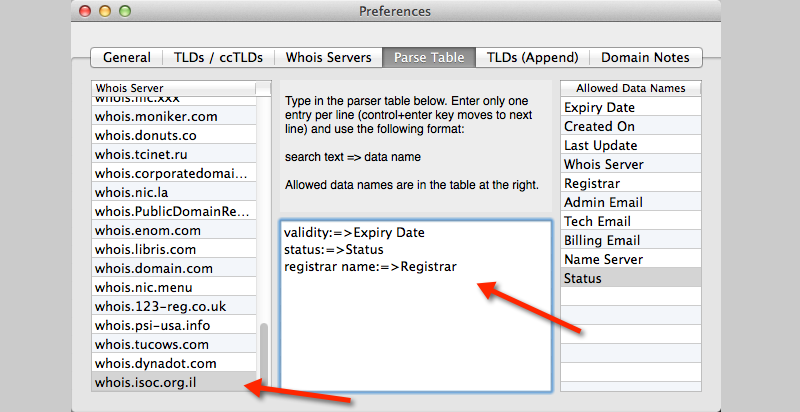
Go to Parse Table tab and select whois.isoc.org.il. Set it's parse table to
validity:=>Expiry Date
status:=>Status
registrar name:=>Registrar
Close the Preferences panel and redo the lookups for IL domains.