Adding Support for "WebCam" Domains
Manual Configuration required
At present, the automatic whois setup will not work for "webcam" domains. Please configure it manually.
- Goto the
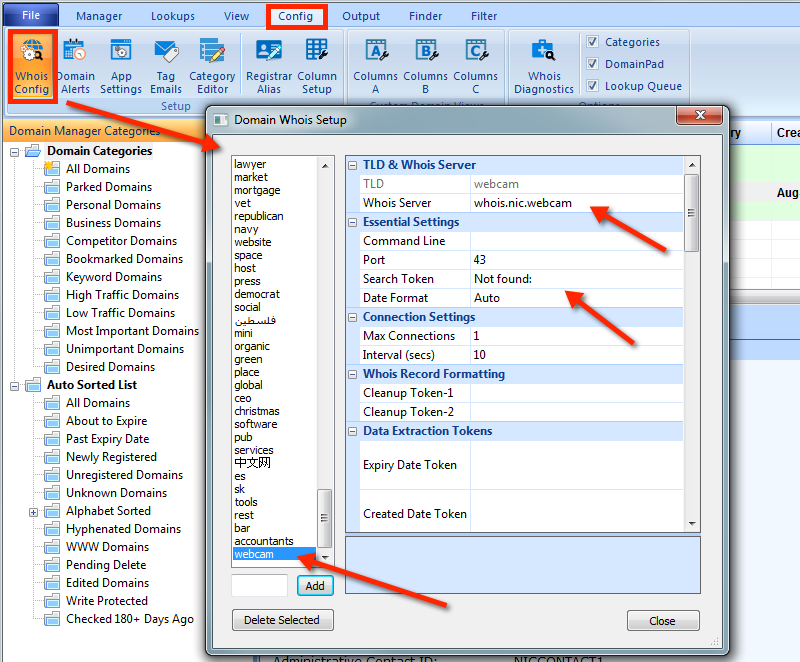
ConfigorDomain Managertab and click theWhois Configribbon button. In Watch My Domains Pro theWhois Configbutton is in the mainDomain Managertab. In other products it is in theConfigtab. - Locate
WebCamin the list of TLDs and click on it. If you are unable to locateWebCam, you can add it to the list using theAddbutton after typing webcam into the appropriate box. - Specify the following settings
-
Whois Server: whois.nic.webcam
Query Prefix:
Port: 43
Search Token: Not found:
Please note that the query prefix entry is blank. The screen-shot below shows the final settings.