Finding Domains in List
Requires Domain Punch Pro v4 build 03-09-2018 and later. Use the SQL Filter option if you have Watch My Domains ISP.
In Domain Punch Pro you can use the Auto Sorted List > Containing Word filter to list domains that
start or end with a word or have specified number of characters.
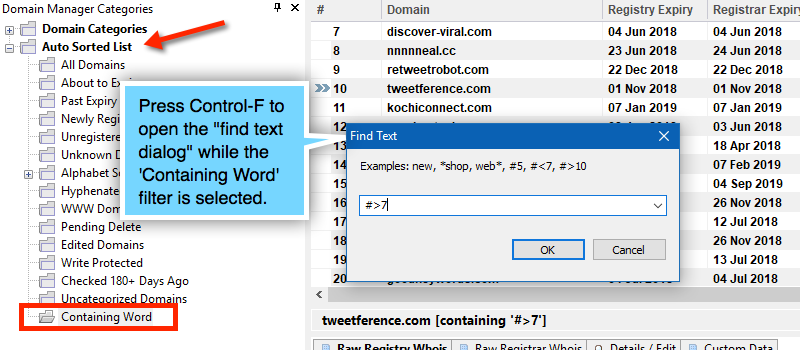
Example Searches
Press Control-F to open the 'Find' dialog while the 'Containing Words' filter is selected.
- Use
web*to find domains that start with the wordweb - Use
*webto find domains that start end the wordweb - Use
#9to find domains that are 9 chars long - Use
#<9to find domains that are less than 9 chars long - Use
#>9to find domains that are more than 9 chars long